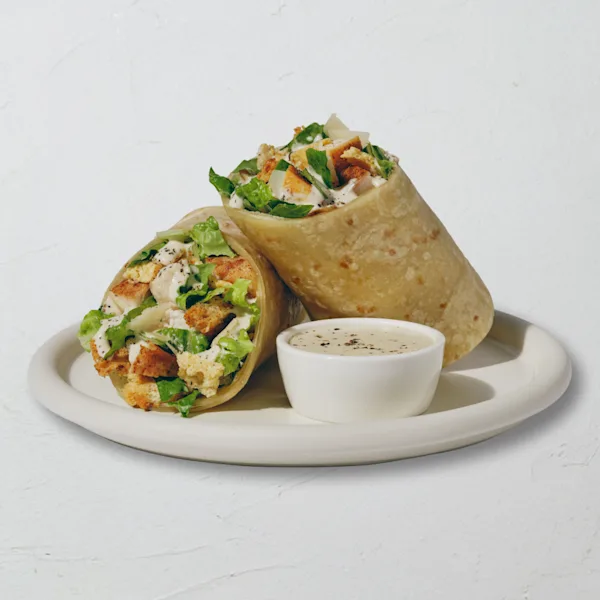
A calorie range on a wrap card is not an estimate between two unknown recipes. It represents distinct published variants. The base row explicitly excludes the named side dip. The combined row includes it and should be selected when that is the product being modeled.
This guide uses the local nutrition snapshot dated 2026-07-10 and the same variant records as the Sweetgreen Calorie Calculator. It preserves official combined values rather than reconstructing them from separately rounded rows.
Sweetgreen wrap calories with and without the named side dip
The table shows all wrap variants in the current dataset. Each row is copied from the normalized official product record. Calories, fat, sodium, and protein stay together so the active choice is more than a single-number comparison.
| Wrap variant | Calories | Fat | Sodium | Protein |
|---|---|---|---|---|
| Classic Chicken Caesar — Base wrap (side dip not included) | 830 | 44 g | 2135 mg | 46 g |
| Classic Chicken Caesar — Wrap + Caesar side dip | 990 | 61 g | 2485 mg | 47 g |
| Cali Chicken Club — Base wrap (side dip not included) | 1085 | 69 g | 2410 mg | 48 g |
| Cali Chicken Club — Wrap + Garlic Aioli side dip | 1255 | 86 g | 2720 mg | 49 g |
| Chicken Jalapeño Ranch — Base wrap (side dip not included) | 1150 | 62 g | 3035 mg | 40 g |
| Chicken Jalapeño Ranch — Wrap + Charred Jalapeño Ranch side dip | 1320 | 78 g | 3460 mg | 41 g |
| Saucy KBBQ Chicken — Base wrap (side dip not included) | 1055 | 52 g | 3335 mg | 36 g |
| Saucy KBBQ Chicken — Wrap + KBBQ side dip | 1195 | 60 g | 3825 mg | 37 g |
Classic Chicken Caesar, for example, has an 830-calorie base-wrap row and a separate 990-calorie row for the wrap with Caesar side dip. Cali Chicken Club has a 1,085-calorie base row and a 1,255-calorie combined row with Garlic Aioli side dip. Those are separate source records, not a minimum and maximum for one unspecified product.
The base label is explicit
Every base variant in this dataset says “side dip not included.” That note prevents an easy omission: someone may see the lower row, assume the dip is already present, and model an order that does not match the source. Conversely, selecting the combined row and then adding the side dip again would count it twice.
Why official combined rows should not be recomputed
It can be tempting to take the base wrap and add a dressing-table row. That may reproduce the calorie difference, but it is not a safe method for rebuilding all nutrition fields. Official product rows can use independently rounded values, defined serving weights, and product-specific source treatment. Fat, saturated fat, sodium, carbohydrates, or another field may not equal a simple sum of two separately displayed rows.
The project’s source contract therefore keeps each official + Side Dip row verbatim. The calculator loads that complete variant when selected. It does not calculate the combined product at runtime from the base wrap and custom ingredient collections.
The Sweetgreen dressing calorie guide remains useful for Create Your Own portions, but its rows should not replace the published wrap variants. The two datasets have different jobs.
How to choose the matching wrap variant
- Find the named wrap. Use the menu calorie directory or calculator search rather than selecting a similarly named ingredient.
- Read both variant labels. Choose the base wrap only when the modeled product excludes the optional named dip. Choose the combined row when it includes that dip.
- Read the active source note. The calculator displays whether the dip is excluded or identifies the official combined row.
- Add the selected variant once. The prepared wrap enters the meal as one complete line. Do not add its recipe ingredients separately.
- Add genuinely separate items. Another side, drink, dessert, or custom bowl remains its own meal line and contributes its own nutrition.
This preserves a clean audit trail. The meal summary shows which wrap label was selected, its quantity, and every separate product included in the comparison. If the result differs from another estimate, the active variant is one of the first details to check.
Calories are not the only variant difference
The table shows that side-dip variants can change sodium, fat, carbohydrates, and protein as well as calories. The Sweetgreen sodium guide explains why each field must be read from the matching complete row and why a menu dataset does not define a personal intake threshold.
Serving weight also differs between base and combined rows because the named dip adds a represented portion. Even when two fields happen to show the same number after rounding, the variants remain distinct products in the source contract.
What can make a restaurant wrap differ
The local data is a dated snapshot. Recipe revisions, serving standards, substitutions, suppliers, regional menus, availability, and preparation can change after the source date. A dip may also be omitted, replaced, or served in an amount that differs from the represented source portion.
Use the site’s nutrition source guide for field definitions and known source boundaries. For a current order, verify the item and allergens with Sweetgreen’s official Nutrition + Allergens Guide and current ordering information.
Wrap data is informational, not medical guidance
A published nutrition row cannot confirm medical suitability, ingredient safety, or freedom from cross-contact. This article does not recommend one variant over another or prescribe an intake target. Review the site’s nutrition and allergen disclaimer and consult qualified guidance for personal decisions.